

Every score on the video wall, instantly.
Scoreboard is the competition module of the Scoresystem for gymnastics leagues. Enter scores by the Code of Points, release duels, and run the video wall and livestream in real time – in the browser, with nothing to install, even when the internet drops.
Runs on laptop, tablet and phone. Your data stays on your league's own server. The application is currently available in German.
Nothing to install
Open the browser, enter the code, go. No setup in the hall.
Never goes down
Every entry is saved locally. If the network drops it keeps running and syncs later.
Everything in real time
Standings, conference and live table across all halls – within seconds.
Rules built in
Counting, group values, connections and E-score trimming per the CoP MAG 2025–2028.
Scoreboard in one minute.
From entering a score to the video wall – explained briefly.
German narration with German subtitles · 57 seconds
Less effort in the hall. More competition.
What the system does for everyone involved – from the judges' table to the audience.
Host clubs
For everyone running the competition day.
- Open it in the browser, enter your access code – no setup, no installation.
- Scores are entered with guidance. Calculation errors and missing values stand out immediately.
- Connect the projector, the announcer and a second control desk with a QR code.
- At the end: final check, printable report, results export and backup.
League administration
For everyone keeping an overview of the league.
- Issue club access by code and block or renew it at any time.
- Each club writes only to its own match. You assign the hosts.
- League, clubs and gymnasts come from the league data and stay up to date.
- Maintain the element library once, centrally, for all devices.
Audience and stream
For everyone following the competition.
- One video wall with duels, standings, top scorers and tables.
- A stream overlay with a transparent background for OBS and vMix.
- Conference and live table across all halls in real time.
- Large timers for exercise interruptions and breaks, readable from every corner.
Everything a competition day needs.
Six areas that work together: enter, display, stream, compare, control, close out. The screenshots show the German interface.
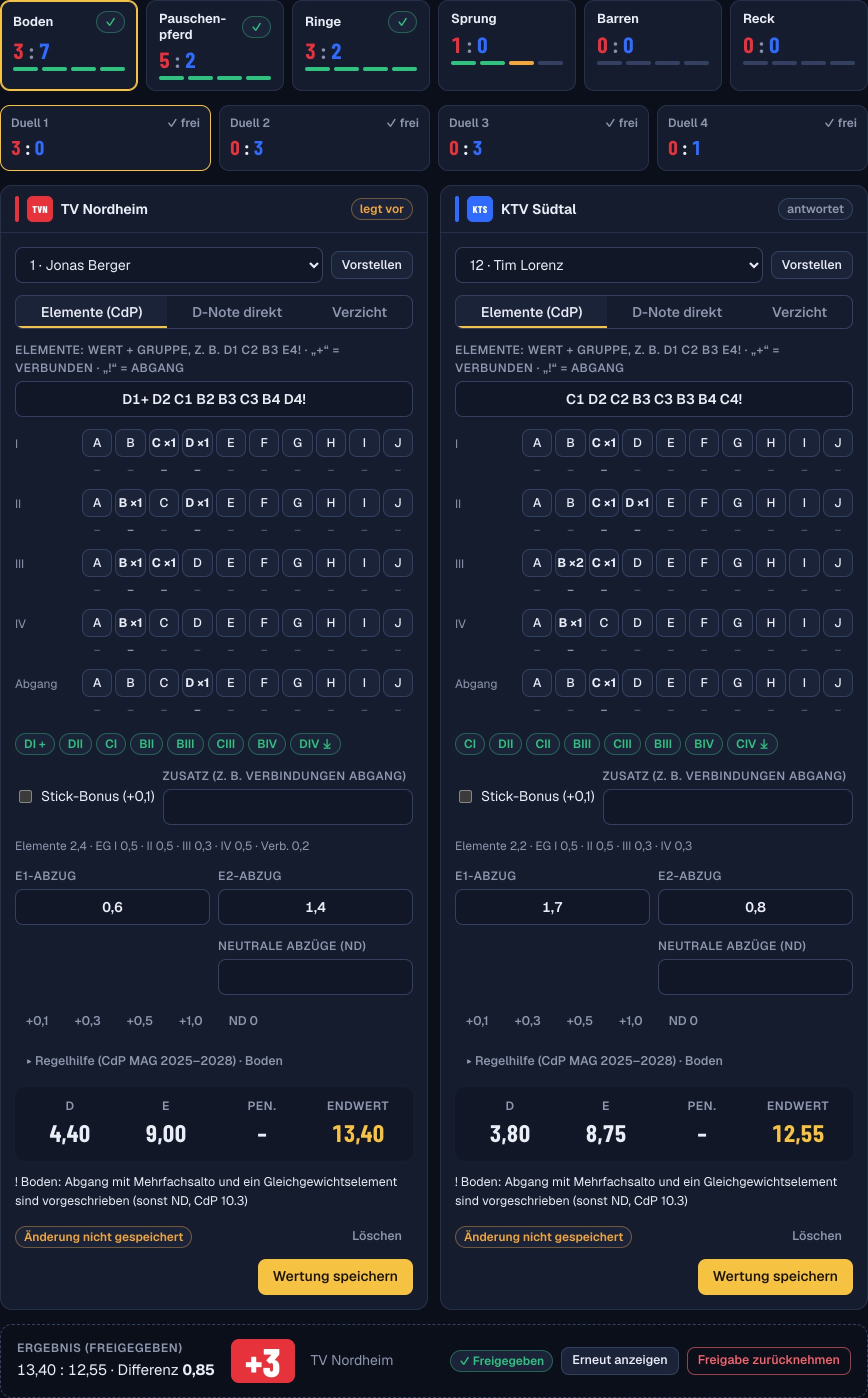
Enter scores by the CoP. The system does the maths.
Judges type the elements, for example D1 C2 B3. The D score is built automatically, and so is the E score.
- Counting with 8 elements, at most 4 per element group
- Group values 0.5 and 0.3, dismount, connections on floor and high bar, stick bonus
- E score with the highest and lowest deductions dropped for 2 to 7 judges
- Neutral deduction for short exercises, applied automatically
- Warnings for a missing dismount or implausible values
No calculation errors and no queries back to the judges' table.
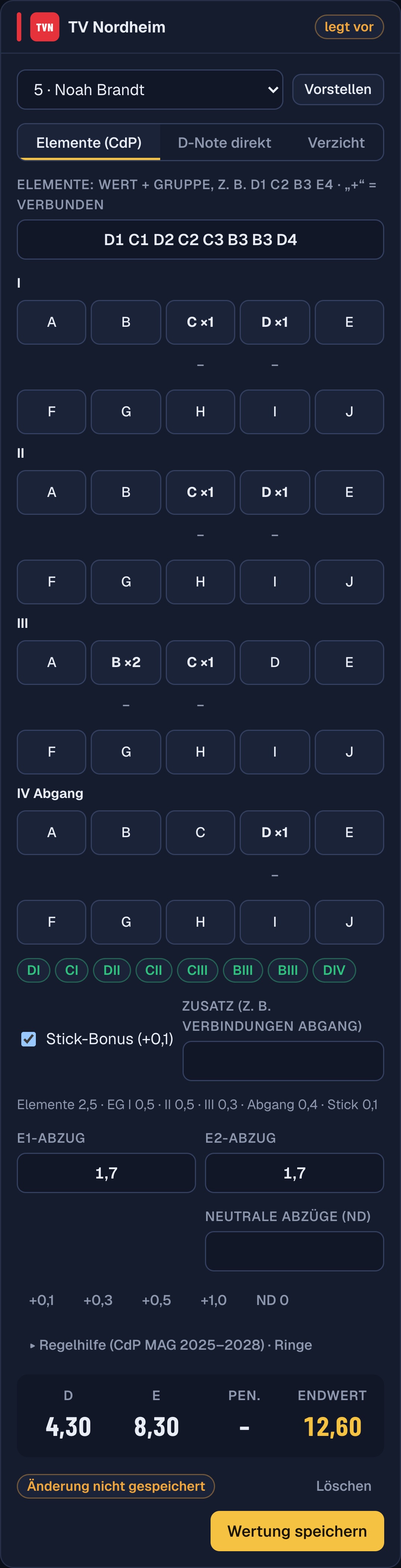
Scroll down inside the phone
A tablet or phone is enough at the judges' table.
Entry is built for thumbs: large tap targets, counters per group and value, and a final score you see right away.
- Elements by counter or as quick entry in a single line
- Optional element library with search, provided centrally by the league administration
- Entry either with element groups or with difficulty values only
- Set the number of E judges once per competition
- Collapsible rules help, matching the apparatus
Judges work where they sit – not at the tech desk.
A video wall that thinks along.
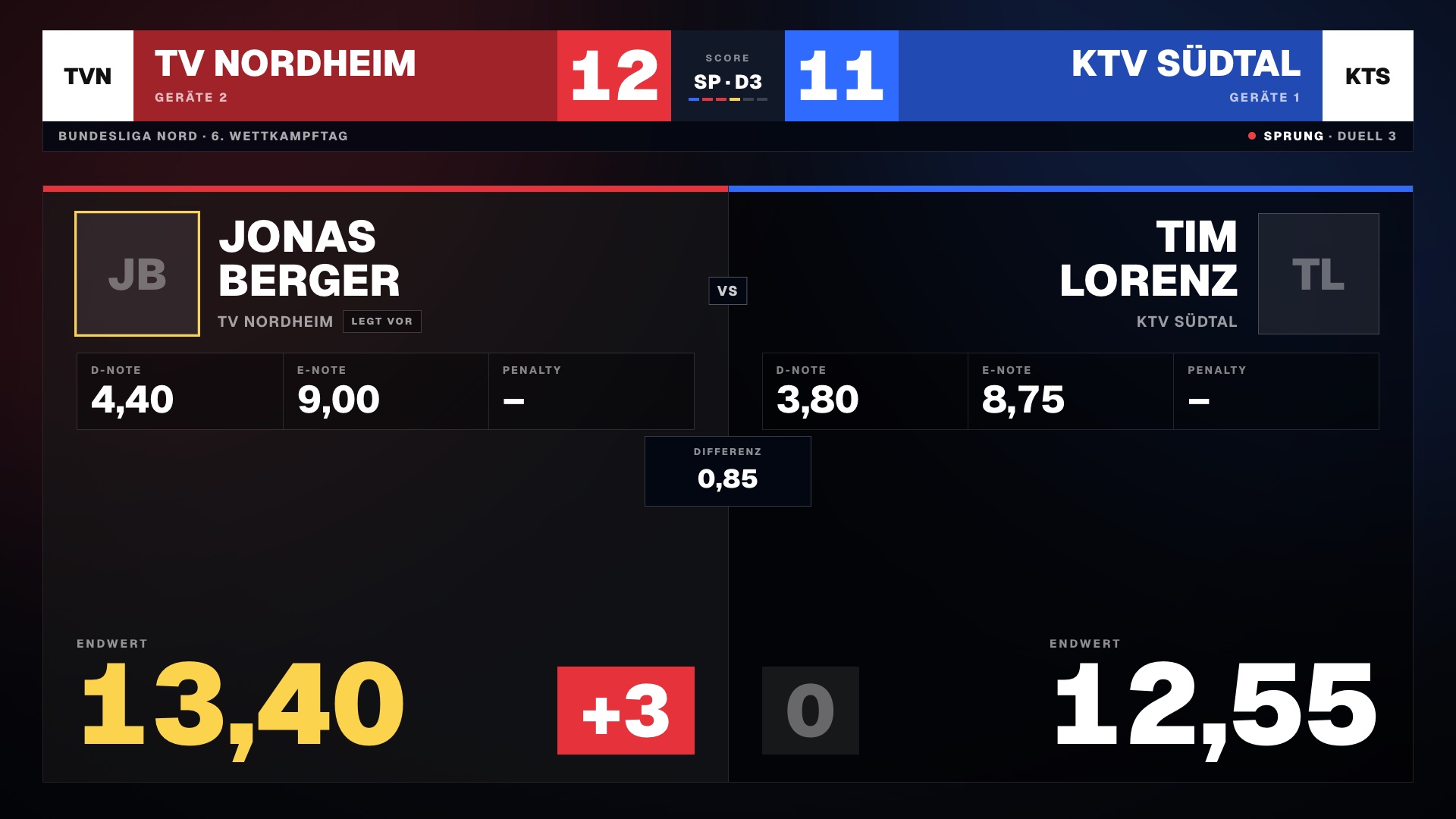
The control desk picks the scene and the wall follows in real time. It adapts to any resolution. Where nothing is decided yet, it shows sensible placeholders instead of empty areas.
The audience sees what matters right now – without anyone operating the wall.
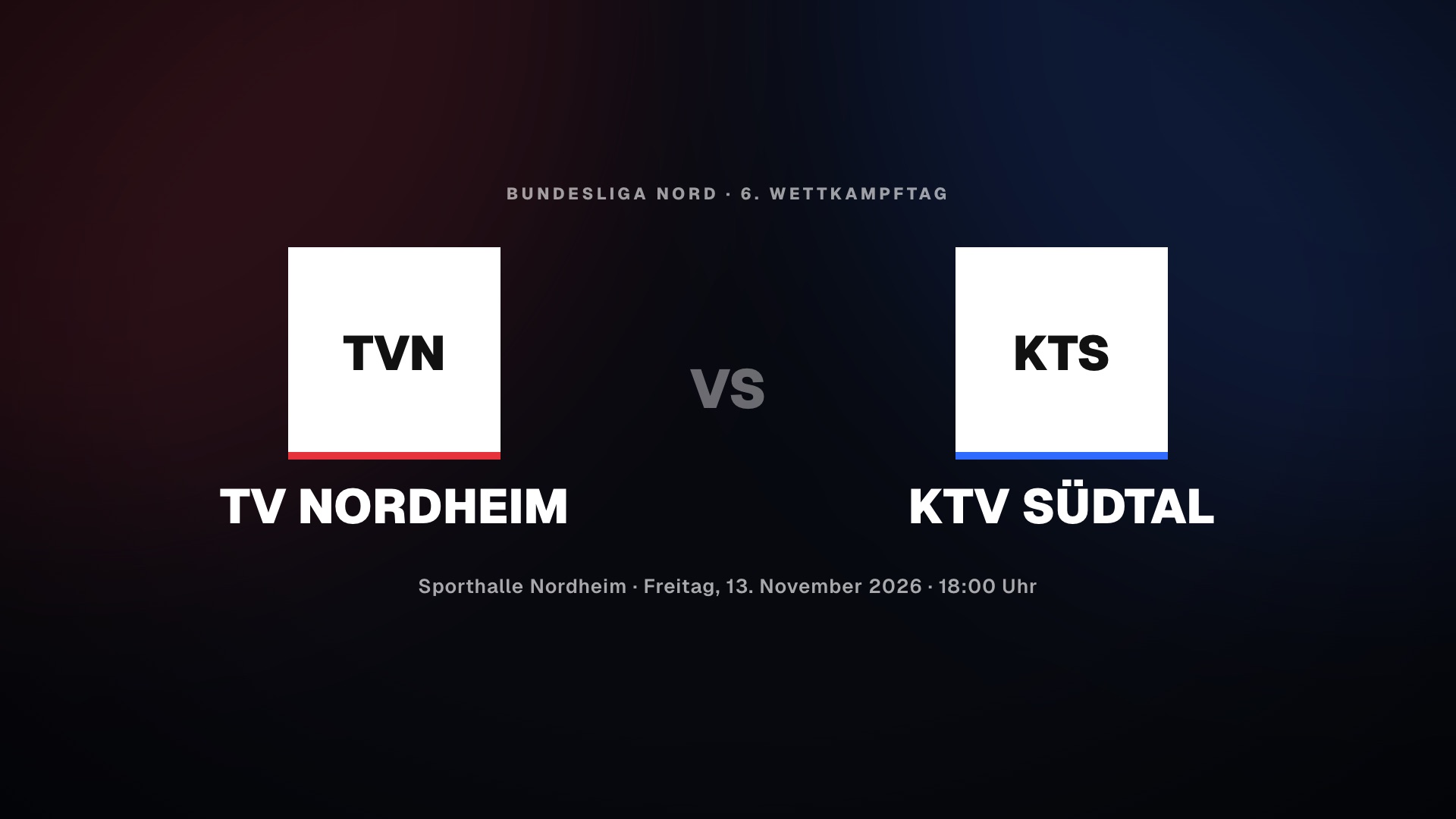
Teams, venue and start time – for admission and the welcome.
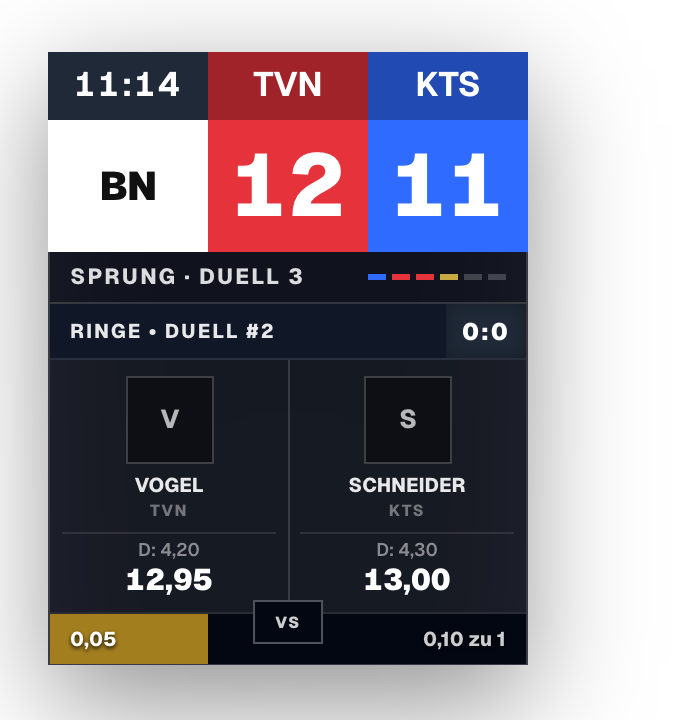
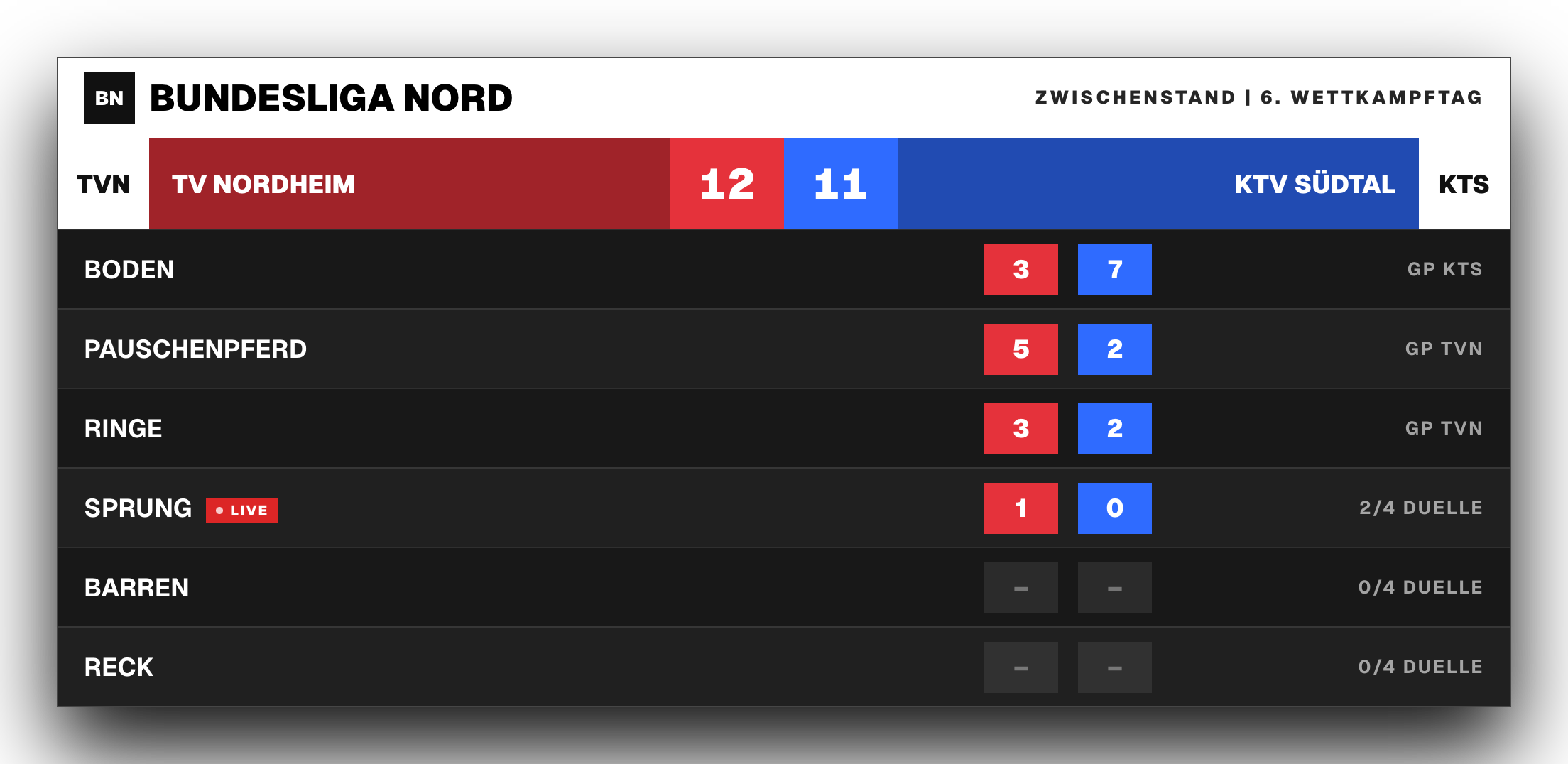 Example with a simulated camera image
Livestream overlay for OBS and vMix.
One browser source is enough. The background is transparent, or chroma key if you prefer.
- Scorebug with score, apparatus, duel and progress
- Duel overlay with D score, E score and final score
- Standings and a ticker of the other matches as overlays
- Same data as the video wall, no second entry
The stream shows the same numbers as the hall – in the same second.
Every hall in view. In real time.
The live center gathers every connected match and the league table in one place.
- Score, apparatus results and latest duel of every match
- Live table that already counts running duels
- Conference and ticker on video wall and stream
- If a corporate network blocks WebSockets, the app switches to a fallback on its own
Announcers and audience know the table before the next match ends.
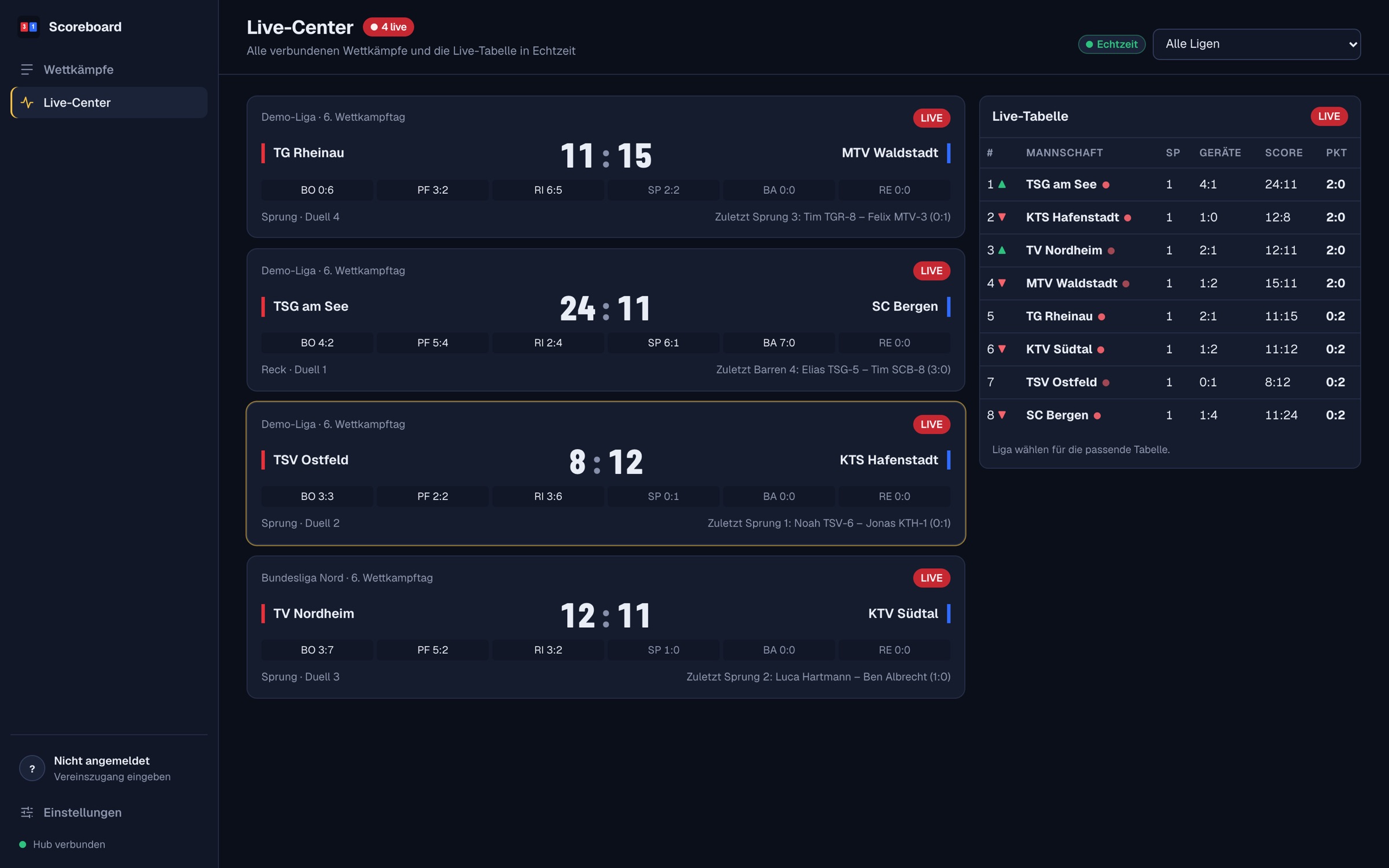
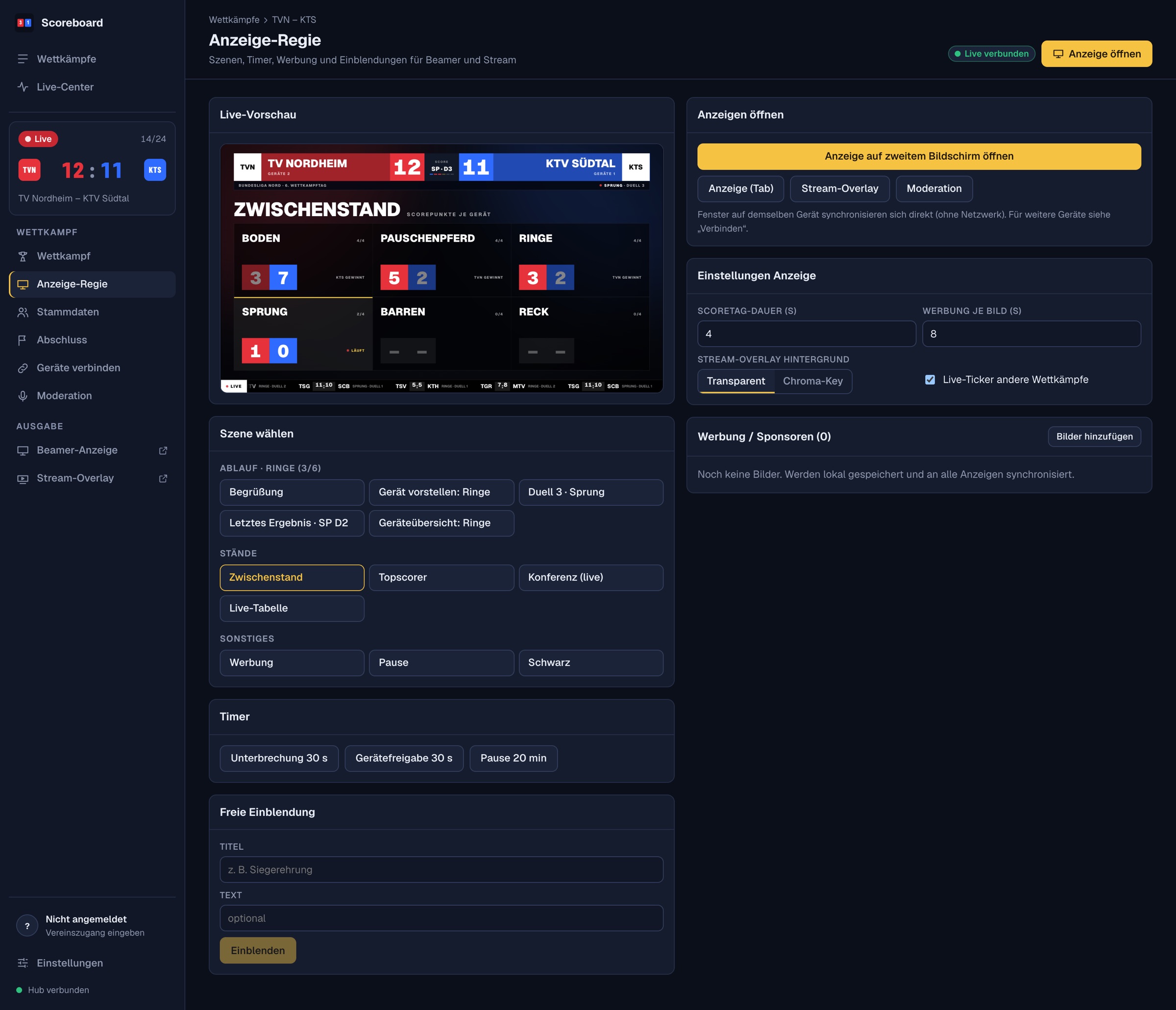
Scenes, timers, sponsors. One click.
Display control runs the video wall and the stream. The buttons name the active apparatus so nothing gets mixed up.
- Live preview of what the wall is showing right now
- Scenes for flow, standings and extras, matching the active apparatus
- Timers for exercise interruption, apparatus release and breaks
- Sponsor images as a slideshow and free overlays, for example for the award ceremony
One person runs the whole show – no technical skills needed.
How a competition runs.
From setup to the report in five steps.
Create the match
Take league, clubs and gymnasts from the league data, or enter them by hand.
Connect devices
Projector, announcer and second desk by QR code. No setup on site.
Enter scores
Assign gymnasts, enter elements and E deductions, save.
Release
One click and scores, score points and standings appear on wall and stream.
Close out
Final check, report, results export and backup.
Calculated by the rules. Clear on what is automatic.
The basis is the FIG Code of Points MAG 2025–2028 with the DTL score table. Here is what the system handles and what judges still enter themselves.
What the system calculates
- Counting elements: dismount plus the highest-valued others, 8 in total, at most 4 per element group
- Element groups: 0.5 from value D, otherwise 0.3, plus the dismount group
- Connection values on floor and high bar
- Stick bonus for a dismount of C or higher, not on pommel horse
- Short exercise: neutral deduction by the number of counting elements
- E score with the highest and lowest deductions dropped for 2 to 7 judges
- Score points from the difference, apparatus result and knock-out gymnastics on a tie
What judges enter
- Neutral deductions from the penalty tables, with quick values to tap
- Vault: D score from the vault table; a final with two vaults is not automated
- Repetitions and special rules: only the scored elements are entered
- Connections on the dismount and on rings, parallel bars and pommel horse via the “extra” field
- Required elements on floor: the system shows a reminder but does not check them
Rule sets are stored as data in the system. If your league deviates from the FIG rules, you can add your own rule set without changing the software.
When something fails, the competition keeps going.
The system saves locally first and syncs afterwards. A network problem must never stop a competition.
The internet drops
The control desk keeps working. Every entry is stored locally in the browser and sent on as soon as the network is back. Windows on the same computer, such as control desk and projector, stay in sync without a network.
The computer crashes
Restart, open the page, and the saved state is back. Only entries you had not saved yet are lost – saved scores are not.
A device fails
Any device with access can take over: a second control desk by QR code, or an emergency takeover from the full backup on another computer.
The server is limited
If WebSocket is blocked, the app uses a fallback. The server writes every event permanently to a log. Updates are never applied automatically in the middle of a competition.
Your server. Your data. Your browser.
Runs on your league's server
No third-party cloud, no trackers and no fonts from other servers. This page loads everything from here, too.
Browser instead of software
Windows, macOS, Linux, iPad or Android: a current browser is enough. If you like, install it as an app.
Access under control
Club codes instead of passwords, signed tickets, instant blocking. Each club writes only to its own match.
Frequently asked questions.
Do I have to install anything?
No. The system runs in the browser. If you like, you can add it to your home screen or desktop as an app from the browser menu.
How do I get into the system?
Use the “Open Scoreboard” button. To write to a match, clubs sign in with the access code issued by the league administration. You connect projector and announcer with the match code or by QR code.
What happens without an internet connection?
The control desk keeps working, all saved scores stay in the browser and are sent on once the connection is back. Other halls, conference and live table need a connection to the server to be shown.
Who may change scores?
Only the host club, and only in its own match. The league administration sets the host and can block or renew access at any time. Everyone else can watch.
Which devices and browsers are supported?
Current versions of Chrome, Edge, Firefox and Safari on computer, tablet and phone. For the video wall we recommend full-screen mode on a second display.
Which rules are used for scoring?
The Code of Points MAG 2025–2028 and the DTL score table. What is calculated automatically and what judges enter themselves is listed in the “Rules” section above.
What does the league get at the end?
A final check, a printable match report with signature fields, a results export in the league server's legacy format, and a full backup of the match.
What is the difference between Scoresystem and Scoreboard?
The Scoresystem is the league's scoring system with its rules and score table. Scoreboard is the part that records and displays competitions: entry, video wall, stream and tables.
Is it just a scoreboard?
No. Scoreboard covers the whole competition day: score entry by the rules, video wall, livestream overlay, conference and live table, plus management of access and hosts.
Can the display be customised?
Yes. Club colours and logos come from the master data, sponsor images run as a slideshow, and the stream overlay background colour is selectable.
Is the application available in English?
The application itself, including the video wall, is currently in German. This page and the descriptions are available in English.
Ready for your next competition day?
Open the system and sign in with your club code.
Open Scoreboard